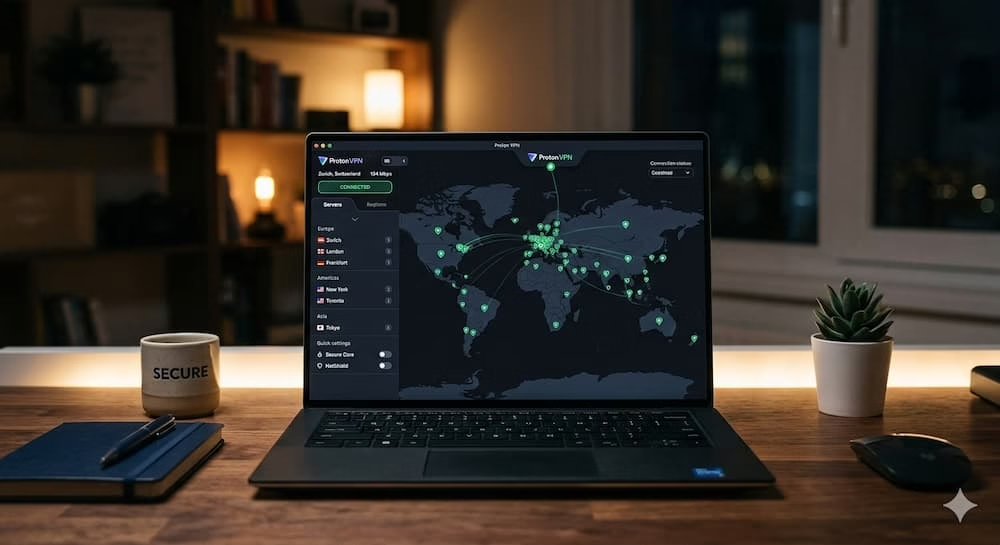
If you spend any meaningful amount of time online — working remotely, researching sensitive topics, downloading files, or just trying to avoid being followed around the internet by targeted ads — a reliable VPN is not optional anymore. It is a basic layer of protection that should be as standard as locking your front door.
I have been using VPNs for years. I have gone through ExpressVPN, NordVPN, spent time with the Tor browser, and used the Proton VPN free plan on and off before eventually committing to the paid VPN Plus plan after catching a well-priced deal. Since then I have been using Proton VPN exclusively — on my Linux laptop, my Windows desktop, and my Android smartphone — and I have some genuinely useful things to tell you about how it performs across all three.
This is not a press release review. I actually use this service daily and I am going to tell you exactly where it impresses, where it frustrates, and whether it is worth your money at the price points currently on offer.
Visit the official Proton VPN website to check current pricing and download options.
Proton VPN – Quick Overview
| Product Name | Proton VPN |
| Category | Virtual Private Network (VPN) Service |
| Main Purpose | Online privacy, IP masking, encrypted browsing, ad tracker blocking |
| Platforms | Windows, macOS, Linux, Android, iOS, Browser Extension |
| Server Coverage | 100+ countries (physical and virtual servers) |
| Privacy Policy | Strict no-logs policy, Swiss jurisdiction |
| Key Features | NetShield, Secure Core, Kill Switch, Split Tunneling, VPN Accelerator, Stealth Protocol |
| Free Plan | Yes – Proton VPN free plan available |
| Paid Plans | From $2.99/month (2-year plan) |
| Encryption | AES-256 with WireGuard, OpenVPN, IKEv2 protocols |
| Availability | Official website + app stores |
What Is Proton VPN and Why Does It Stand Out?
Proton VPN is a privacy-focused VPN service developed by the same Swiss team behind ProtonMail — one of the most trusted encrypted email providers in the world. That heritage matters. Proton operates under Swiss privacy law, which is among the strongest in the world when it comes to protecting user data from third-party requests and government overreach.
When you connect through Proton VPN, your internet traffic is routed through an encrypted tunnel to one of their servers in 100+ countries. Websites see the server’s IP address rather than yours. Your ISP sees encrypted traffic rather than your browsing activity. Advertisers lose the ability to build a location-based profile of your behaviour. That is the core value proposition of any VPN — Proton VPN delivers it with a stronger privacy foundation than most competitors.
The service also offers a genuinely functional free plan, which is rare in the VPN industry. Most free VPN offerings are either dangerously insecure, severely throttled, or exist purely as bait for the paid plan. Proton VPN free is none of those things — it is a legitimate privacy tool with speed limits but no data caps. For anyone wanting to try Proton VPN before committing to a paid subscription, the free tier is a meaningful starting point.
Download Proton VPN and try the free plan – visit the official website to get started.
My Experience on Linux – Functional but Not Finished
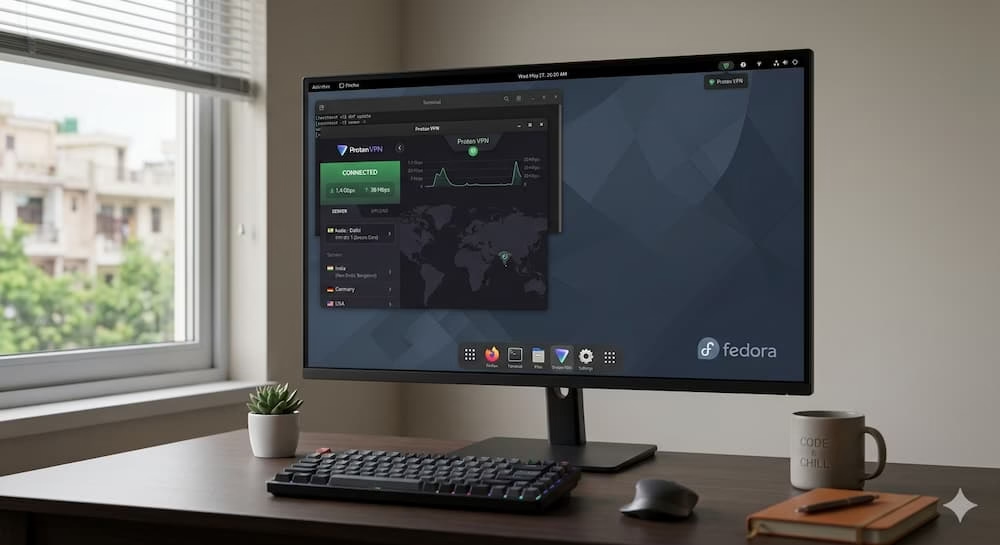
I will start with Linux because it is where I spend most of my working hours. I use Proton VPN daily on my Fedora-powered laptop for writing, research, and general work tasks — and the experience is functional, though it comes with some notable limitations that the Proton team really needs to address.
On the positive side, the VPN Accelerator makes a real difference to connection speeds on Linux. When I first enabled it I noticed an immediate improvement in download speeds and smoother streaming behaviour. The app also allows me to configure it to connect to a specific server automatically on launch, which is convenient for a set-and-forget privacy setup.
The frustrations are also real, though. The Linux interface looks dated — it is a basic layout that gets the job done but feels like it has not been updated in years compared to what is available on Windows and Android. More importantly, some features that I use regularly on other platforms are simply missing on Linux. Split tunneling is not available. The Stealth protocol — useful for bypassing VPN detection on restrictive networks — is also absent on the Linux app.
I have also experienced occasional random connection drops on Linux, where pages would refuse to load without explanation. A manual reconnect fixes it each time, but it is the kind of intermittent friction that should not exist on a paid service. My honest assessment of the Linux experience is that it covers the basics well but lags meaningfully behind the Windows and Android versions.
My Experience on Android and Windows – Genuinely Impressive
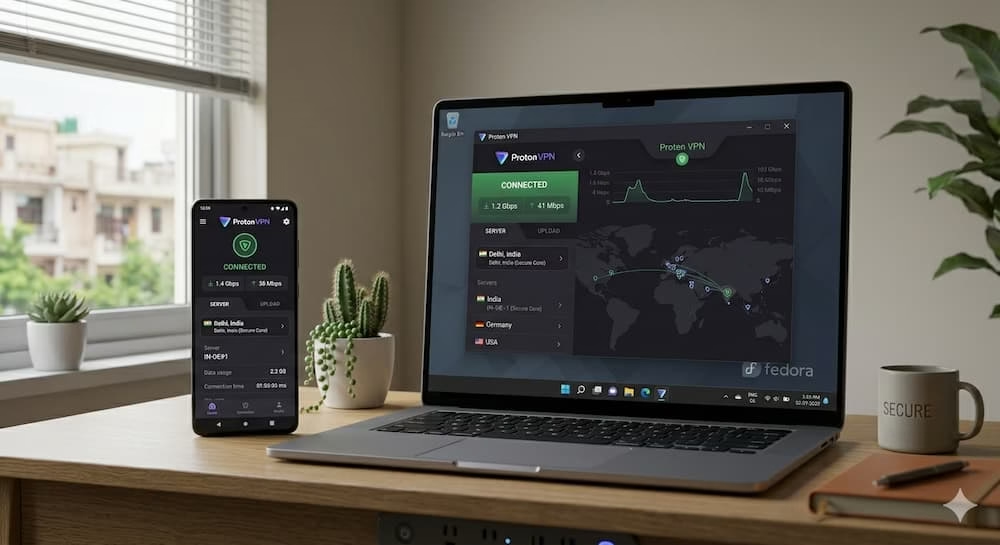
The gap in quality between the Linux experience and the Android and Windows experiences is significant — and both of those platforms are where Proton VPN genuinely shines.
On Android, I primarily use Proton VPN to mask my location and block ad trackers through NetShield. NetShield is one of the features I value most across the whole platform — it actively filters out known advertising trackers and malicious domains at the DNS level, which means cleaner, faster browsing without a separate ad blocker installed. Even on apps and browsers where I cannot install extensions, NetShield works in the background.
There is one recurring quirk on Android worth mentioning. When I have the always-on VPN setting enabled and I restart my router, my phone sometimes fails to automatically reconnect to the VPN server when the router comes back online. Disabling the always-on setting and re-enabling it forces the reconnection. It happens inconsistently and I am not entirely certain whether the issue sits with the Proton VPN app or Android’s VPN handling — but it is worth being aware of.
Windows is where Proton VPN delivers its best overall experience. The interface is clean, well-organised, and genuinely intuitive. The toolbar gives you quick access to Secure Core, NetShield, the Kill Switch, and Port Forwarding without digging through menus. Split tunneling works flawlessly — I use it to route specific applications through the VPN while keeping online multiplayer games and other latency-sensitive apps on my regular connection. In months of daily use on Windows I have not encountered any significant issues.
Get Proton VPN for PC – download it now from the official website.
Speed Tests and Privacy Protections – How Does It Actually Perform?
Speed is always the most practical concern with a VPN because encryption overhead inevitably costs you something. The question is how much, and whether it affects your actual usage experience.
I tested Proton VPN on a 200 Mbps connection across different servers and protocols. The results varied significantly depending on server location and protocol choice, which is true of every VPN — but the variation with Proton VPN is worth understanding so you can configure it properly for your location.
On a nearby regional server using WireGuard TCP protocol, I recorded download speeds of around 33 Mbps with upload speeds reaching approximately 95 Mbps. On a more distant server — Singapore — the same protocol delivered download speeds of around 212 Mbps with upload closer to 16 Mbps. The takeaway is that server selection matters enormously and there is no one-size-fits-all configuration. You will need to test a few combinations to find what works best for your connection and use case.
For most everyday tasks — streaming, browsing, video calls, file downloads — Proton VPN’s speeds are more than adequate. Gaming and ultra-low latency work will depend heavily on how close you are to the server you connect through.
On the privacy side, Proton VPN delivers complete IP and DNS leak protection across all platforms. I tested this using IPleak.net during active VPN sessions and found no leaks of any kind. If you want an additional layer of security beyond standard encrypted connections, Proton’s Secure Core servers route your traffic through two servers — with one being a Proton-owned physical server in a privacy-strong jurisdiction — before it exits to the open internet. The trade-off is reduced speed, but for high-sensitivity browsing situations it is a meaningful option to have.
Key Features Worth Knowing About
- NetShield: DNS-level ad tracker and malware domain blocking — works across all apps and browsers on the device
- Secure Core: Double-hop routing through Proton-owned physical servers for maximum privacy on sensitive connections
- Kill Switch: Automatically cuts internet access if the VPN connection drops — prevents accidental IP exposure
- Split Tunneling: Route specific apps through the VPN while keeping others on your regular connection (Windows and Android only currently)
- VPN Accelerator: Proprietary speed optimisation technology that noticeably improves connection performance
- Stealth Protocol: Obfuscation protocol designed to bypass VPN detection on restrictive networks (not available on Linux currently)
- No-Logs Policy: Independently audited — Proton does not record your browsing activity, connection timestamps, or IP addresses
- Swiss Jurisdiction: Operated under Swiss privacy law — one of the strongest legal frameworks for user data protection globally
- Proton VPN Free Plan: Genuinely functional free tier with no data cap — servers in three countries with no speed throttling beyond infrastructure limits
- Browser Extension: Available for Chrome and Firefox for quick access to basic VPN functionality without the desktop app
Is the Proton VPN Free Plan Worth Using?
Proton VPN free is genuinely one of the best free VPN options available in 2026 — and I say that having used it myself before upgrading to the paid plan. Most free VPNs either log your data and sell it to advertisers, impose aggressive data caps, or provide speeds so poor they are practically unusable. Proton VPN free does none of those things.
The free plan gives you access to servers in three countries with no data cap. You will not get access to premium features like NetShield, Secure Core, Stealth, or the full 100+ country server network — those are reserved for paid subscribers. But for basic encrypted browsing and IP masking, the free plan works reliably and is backed by the same no-logs policy as the paid tiers.
If you are testing Proton VPN before committing to a subscription, the free plan is the right place to start. It gives you a genuine sense of how the app works and whether it fits your workflow without spending anything.
Try Proton VPN free – download the app from the official website and get started at no cost.
How to Download Proton VPN – All Platforms
Proton VPN is available across all major platforms and downloading it is straightforward regardless of which device you are setting it up on.
- Proton VPN download for PC (Windows): Available directly from the official Proton VPN website as a standard Windows installer
- Proton VPN for PC (Linux): Available through the official website with package support for major Linux distributions including Ubuntu, Fedora, and Debian
- Proton VPN APK / Proton VPN APK download: The Android APK is available through the Google Play Store and directly from the official website for manual installation
- Proton VPN extension: Browser extensions for Chrome and Firefox are available through their respective extension stores
- iOS: Available through the Apple App Store
For any platform, I always recommend downloading directly from the official Proton VPN website or official app stores to ensure you are getting the genuine, unmodified application.
Pros and Cons – My Honest Assessment
Pros
- Swiss jurisdiction and independently audited no-logs policy — genuine privacy foundation
- NetShield ad and tracker blocking is one of the most useful features in any VPN I have used
- Excellent Windows and Android app experience — intuitive, feature-complete, and reliable
- Secure Core double-hop routing for maximum privacy when needed
- VPN Accelerator delivers noticeably better speeds than baseline
- Proton VPN free plan is genuinely usable — no data cap, no logging
- 100+ country server coverage with both physical and virtual server options
- Kill Switch and split tunneling work flawlessly on Windows
- Strong encryption with WireGuard, OpenVPN, and IKEv2 protocol options
Cons
- Linux app is dated in design and missing key features — split tunneling and Stealth protocol absent
- Occasional connection drops on Linux requiring manual reconnect
- Android always-on VPN can fail to auto-reconnect after router restart
- Secure Core servers reduce speeds significantly — not suitable for everyday use
- Not the absolute fastest VPN in every server test — though adequate for most real-world usage
Proton VPN Pricing – What Does It Cost?
- Free Plan: $0 — servers in 3 countries, no data cap, no advanced features
- 1-Month Plan: $9.99 per month — full feature access, flexible commitment
- 1-Year Plan: $3.99 per month — billed annually, saving 60% vs monthly
- 2-Year Plan: $2.99 per month — billed every two years, best per-month value
The pricing structure is straightforward and competitive with the better-known VPN providers. At $2.99 per month on the 2-year plan, Proton VPN Plus sits comfortably alongside the market leaders on price while offering a significantly stronger privacy foundation than most of them.
My honest recommendation on pricing: if you are committing to Proton VPN for the long term — and based on my experience, it is worth committing to — the 2-year plan at $2.99 per month is the most sensible choice. If you want to test the paid features before locking in, the monthly plan at $9.99 gives you full access with no long-term obligation.
Check the latest Proton VPN pricing and special offers at the official website.
What Other Users Are Saying About Proton VPN

Alex T. — Verified User
★★★★★
I switched from NordVPN to Proton VPN about eight months ago and I have not looked back. The Swiss privacy laws and the independently audited no-logs policy were the main reasons I switched. NetShield has replaced my browser ad blocker on most devices. The Windows app is smooth and the speeds on WireGuard are genuinely good for my daily work.
Maria K. — Verified User
★★★★☆
I started on the free plan to test it and was impressed enough to upgrade to the yearly subscription within a month. The free plan is better than most paid VPNs I have tried. The paid tier adds NetShield and access to all server locations which made a big difference. My only frustration is the Linux app — I use Ubuntu and it is noticeably behind the Windows version in terms of features.
James W. — Verified User
★★★★★
Proton VPN on Android is excellent. I use it on public Wi-Fi constantly when travelling and it has never let me down. The NetShield tracker blocking is the feature I use most — it is remarkable how much cleaner the browsing experience is with it enabled. Kill Switch gives me peace of mind on mobile data connections where the signal drops occasionally.
Rachel S. — Verified User
★★★☆☆
The service is solid but I have had some inconsistency with speeds depending on which server I connect through. Once I found the right server combination for my location the speeds became much more reliable. The app could do a better job of recommending the fastest server automatically rather than leaving that discovery to the user. Support was helpful when I reached out.
Daniel F. — Verified User
★★★★★
I work in cybersecurity and Proton VPN is the service I recommend to non-technical friends and family who ask me about VPNs. The privacy credentials are genuine, the app is easy enough for non-technical users to set up, and the Proton VPN free plan means there is no excuse not to have basic protection. The 2-year paid plan is genuinely excellent value for what you get.
How Does Proton VPN Compare to the Alternatives?
I have used both ExpressVPN and NordVPN before settling on Proton VPN, so I can offer a direct comparison from personal experience rather than specification sheet comparisons.
ExpressVPN has a polished app experience across all platforms but its pricing has always been on the higher end and the privacy jurisdiction is less robust than Switzerland. NordVPN offers competitive speeds and a large server network but I had concerns about its privacy track record following a server breach a few years back, and its aggressive marketing has always felt at odds with the understated professionalism I want from a privacy-focused service.
Proton VPN wins on privacy credentials definitively. The Swiss jurisdiction, the independently audited no-logs policy, and the Proton team’s background in encrypted communications gives it a trust foundation that most competitors simply cannot match. For speed, it is competitive but not market-leading. For features, it is comprehensive on Windows and Android — and improving, even if Linux still lags.
The one alternative I would genuinely consider is Mullvad VPN, which offers a unique account generation feature that allows completely anonymous sign-up when paying with cryptocurrency — a level of anonymity Proton VPN does not currently match. For most users that level of anonymity is unnecessary, but it is worth knowing the option exists.
Final Verdict – Is Proton VPN Worth It in 2026?
After extended daily use across Linux, Windows, and Android, my honest verdict on Proton VPN is a clear recommendation — with one caveat for Linux users specifically.
On Windows and Android, Proton VPN is one of the best VPN services I have used. The privacy foundation is among the strongest in the industry. NetShield is a genuinely useful feature that goes beyond what most VPNs offer. The speeds are solid for everyday use. The Kill Switch and split tunneling work reliably. And the pricing — particularly at the 2-year rate — is competitive with services that do not match Proton’s privacy credentials.
On Linux, the experience is functional but meaningfully behind the other platforms. If Linux is your primary operating system, you will get a working VPN but you will miss some features until Proton’s team updates the platform. I am hopeful that update comes — the foundation is clearly there.
The free plan is the right starting point for anyone on the fence. It costs nothing, it is backed by the same no-logs policy, and it gives you a genuine sense of the platform before you decide whether the paid features are worth it to you.
For long-term daily privacy protection, Proton VPN is the service I trust with my own data. That is the most honest endorsement I can give.
Get Proton VPN today – visit the official website for the latest pricing and download options.
Frequently Asked Questions – Proton VPN Review
Is Proton VPN really free and is the free plan worth using?
Yes — Proton VPN offers a genuinely functional free plan with no data cap and no logging. You get access to servers in three countries and basic encrypted browsing. Features like NetShield, Secure Core, and the full server network are reserved for paid plans. For basic privacy protection, the free plan is one of the best free VPN options available in 2026 and a legitimate way to evaluate the service before upgrading.
How do I download Proton VPN for PC?
Proton VPN download for PC is available directly from the official Proton VPN website. For Windows, it is a standard installer file. For Linux, packages are available for Ubuntu, Fedora, Debian, and other major distributions. Always download from the official website to ensure you are getting the genuine, unmodified application.
Where can I get the Proton VPN APK for Android?
The Proton VPN APK is available through the Google Play Store or directly from the official Proton VPN website for manual installation. The official website also hosts older versions if you need a specific build. Avoid downloading the APK from third-party sources as these may be modified or outdated versions.
Is there a Proton VPN browser extension available?
Yes. Proton VPN offers a browser extension for Chrome and Firefox. The extension provides quick access to basic VPN functionality directly from your browser without requiring the full desktop app to be open. It is useful for lightweight privacy protection during browsing sessions, though the full desktop app offers significantly more features and complete device-level protection.
What is the cheapest way to get Proton VPN?
The most cost-effective paid option is the 2-year plan at $2.99 per month, billed every two years. The 1-year plan at $3.99 per month offers a good middle ground between commitment and saving. The monthly plan at $9.99 gives you full flexibility with no long-term commitment. The free plan remains available indefinitely for users who want basic protection at no cost.
Disclaimer: This article reflects the writer’s genuine personal experience using Proton VPN and is intended for informational purposes only. Speed test results and feature availability may vary by plan, location, device, and app version. This article contains affiliate links — a commission may be earned at no additional cost to you if a purchase is made through these links. All opinions expressed are independent and honest.
